
Unification Mod - Dawn of War
Mod for Warhammer 40,000: Dawn of War (2004) | Category: Total Conversion
Author: Team Unification | Curator: Modbadger
Mod for Warhammer 40,000: Dawn of War (2004) | Category: Total Conversion
Author: Team Unification | Curator: Modbadger
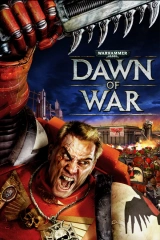
Unification Mod is a massive mod for Warhammer 40,000: Dawn of War, bringing together dozens of fan projects into a single experience. It adds more than 20 new factions, reworks the original factions, adds several new modes, improves graphics and sound, and stands as a full embodiment of the Warhammer 40,000 universe in one mod.


Localizations:

Localizations:
The mod is localized into 1 language
(You don’t need to download anything extra to play in these languages)
Unification Mod is the result of twenty years of modding evolution and collaboration between many teams, turning the classic Dawn of War: Soulstorm into a grand strategy experience that surpasses the official sequels in scale.
The mod’s greatest strength is its enormous amount of content. It not only adds dozens of new factions, but also completely overhauls and visually updates the old ones to meet modern quality standards. In addition to the nine original Soulstorm races, Unification adds more than 20 new, highly detailed races and subfactions, including:
Space Marine Chapters and successor forces: Black Templars, Blood Angels, Imperial Fists, Salamanders, Raven Guard, Dark Angels, and Space Wolves (13th Company).
Imperial forces: Daemon Hunters (Inquisition), Witch Hunters, Death Korps of Krieg, Steel Legion, Vostroyan Firstborn, Praetorian Guard, Renegades, and Adeptus Mechanicus Explorators.
Chaos Legions and Daemons: World Eaters, Death Guard, Thousand Sons, Emperor’s Children, Fallen Angels, Night Lords, and Chaos Daemons.
Xenos: Tyranids, Harlequins, Ynnari, and Farsight Enclaves.
Each faction has unique mechanics, its own playstyle, authentic voice acting, and effects carefully adapted from the tabletop source material and other games in the series.
Unification offers players a huge variety of tactical approaches. The balance is carefully tuned: even when devastating late-game Titans appear, early-game squads remain useful and can still counter them effectively.
Beyond classic battles, the mod also includes new unique modes and modifiers:
Survival mode: uncompromising base defense against 10 waves of difficult AI. Some factions, such as the Emperor’s Children, unleash such overwhelming pressure that not every Dawn of War player can hold them off.
Last Stand: a fast, dynamic mode where you control only a hero or a squad fighting to the last drop of blood.
Additional addons: the project offers an addon with a custom global campaign and an Unlimited modifier for players who want to remove all restrictions.
How to install a mod Unification Mod - Dawn of War
To install the mod, you will need one of three versions of the game: Dawn of War: Soulstorm, Dawn of War: Anniversary Edition, or Dawn of War: Definitive Edition.
Installer Installation
Download the Unification Package and Unification Installer, then make sure both files are in the same folder — otherwise the installer will not find the mod archive.
Run the installer and follow the instructions to install the mod into your game folder.
If you are installing the mod for Definitive Edition, install it into the DE folder.
Anniversary Edition requires an additional step to use a single installation for both versions. First, install the mod into the AE/Soulstorm folder. Then navigate to Dawn of War Soulstorm/Unification/Data and delete two folders: "game" and "scenarios". The AE-compatible assets of these folders are already included in the "core_ae.sga" archive. The files you are deleting are DE-exclusive and are only needed for Definitive Edition.
Once installation is complete, launch the Mod Launcher and check the bottom-left corner to make sure the Unification Mod matching your game edition is selected. Then go to the Settings menu to choose the graphics level and screen resolution. Finally, click the "Start Mod" button.
Play!
Important: do not create a profile whose name ends with a space and a number, such as "User 5", or you will encounter issues.
Manual Installation
Download only the Unification Package.
Extract the archive into your game folder.
Anniversary Edition requires an additional step to use a single installation for both versions. First, install the mod into the AE/Soulstorm folder. Then navigate to Dawn of War Soulstorm/Unification/Data and delete two folders: "game" and "scenarios". The AE-compatible assets of these folders are already included in the "core_ae.sga" archive. What you are deleting are DE-exclusive files required only for Definitive Edition.
Download the Mod Launcher for your game edition and place it in your game folder.
Create a shortcut for the Unification Campaign Configurator located inside the extracted Unification folder.
Copy the "Movies" folder from the "DXP2" folder inside "Unification" if you want cutscenes to play during the campaign (the installer does this automatically).
Launch the Mod Launcher and check the bottom-left corner to make sure the Unification Mod matching your game edition is selected. Then go to the Settings menu to choose the graphics level and screen resolution. Finally, click the "Start Mod" button.
Play!
Important: do not create a profile whose name ends with a space and a number, such as "User 5", or you will encounter issues.