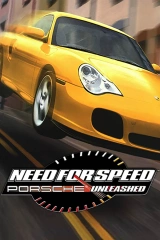

Widescreen Fix for NFS Porsche Unleashed
Mod for NFS: Porsche Unleashed (2000) | Category: Patches
Author: Felix Krull | Curator: Modbadger
Mod for NFS: Porsche Unleashed (2000) | Category: Patches
Author: Felix Krull | Curator: Modbadger
Widescreen Fix for NFS Porsche Unleashed is a patch that fixes the incorrect aspect ratio in Need for Speed: Porsche Unleashed on widescreen monitors.


Localizations:

Localizations:
Language Independent
The mod does not change the game's text, interface, or voice acting. It is compatible with all language versions.
By default, the game is always designed for a 4:3 aspect ratio, so on a widescreen display the image is stretched horizontally: cars look unnaturally wide, and the wheels become oval. Widescreen Fix for NFS Porsche Unleashed adapts the 3D graphics to the monitor’s actual aspect ratio while leaving the HUD and menus unchanged. The patch is an alternative to another solution, Verok's Porsche Unleashed Patch.
Technically, the correction is implemented through vertical scaling instead of horizontal widescreen stretching. This is visually unobtrusive, but it is worth noting that compared to 4:3, the top and bottom parts of the 3D image are slightly cropped — the vertical field of view becomes narrower. The wider the aspect ratio, the stronger the crop. On 16:9 it is barely noticeable; on 21:9 it is noticeable, but still perfectly playable.
In addition, the patch fixes the well-known crash on the “Normandie” track, presumably related to lens flare and/or the rear-view mirror.
Compatibility
The patch has been tested with two renderers:
Direct3D 7 — used by default, no third-party dependencies required.
Glide (via nGlide) — enabled through the configuration file.
Known issues
When zooming in close to the car interior in the menu, small visual artifacts may appear — purely cosmetic and not affecting gameplay.
At 640x480 resolution, minor glitches may appear and disappear when the rear-view mirror or minimap appears. This issue does not reproduce at other resolutions.
Configuration
Configuration is handled through the porsche-widescreen.ini file. The main parameter is driver, which selects the renderer. In rare cases where the game is not launched in fullscreen on the primary monitor, you may need to manually specify the target aspect ratio — details are explained in the config comments.
How to install a mod Widescreen Fix for NFS Porsche Unleashed
Move the contents of the archive into the Drivers subfolder of your game.
Make sure you have Microsoft Visual C++ 2013 x86 Redistributable installed; if not, install it using the included vcredist_x86.exe installer or from another source.
Enable the widescreen patch by double-clicking Enable Widescreen Renderer.reg and confirming all prompts.
(Optional) If you prefer to use the Voodoo renderer in the game (with the Glide API wrapper), remove the semicolon from ;driver=voodoo2 in porsche-widescreen.ini so it becomes driver=voodoo2.
Play!
To disable the widescreen patch, double-click one of the "Enable * Renderer.reg" files.