
Kane's Wrath Reloaded
Mod for C&C3: Tiberium Wars (2007) | Category: Total Conversion
Author: PurpleGaga27 | Curator: Modbadger
Mod for C&C3: Tiberium Wars (2007) | Category: Total Conversion
Author: PurpleGaga27 | Curator: Modbadger
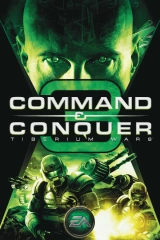
Kane's Wrath Reloaded is a mod for C&C3: Tiberium Wars that brings content from Kane's Wrath and C&C4: Tiberian Twilight into the game. Ten factions, over 40 new and reworked units, new maps, and improved balance.


Localizations:

Localizations:
The mod is localized into 1 language
(You don’t need to download anything extra to play in these languages)
Kane's Wrath Reloaded was created as a response to long-standing issues that were never addressed in the original Kane's Wrath expansion: multiplayer desyncs, performance drops, and the unrealized potential of KW's content.
The core of the mod is the transfer of over 40 units from Kane's Wrath and C&C4: Tiberian Twilight directly onto the Tiberium Wars engine. The result is a project that demonstrates what the Kane's Wrath expansion should have been.
The mod offers ten playable factions — three base factions and seven subfactions drawn from GDI, NOD, and Scrin:
GDI: Steel Talons (armor specialization), ZOCOM (zone operations)
NOD: Black Hand (infantry dominance), Marked of Kane (cybernetic forces)
Scrin: Reaper-17 (mass assault), Traveler-59 (air operations), GAF
Each subfaction has a distinct specialization. Marked of Kane is transformed from a nominally cyborg faction into a genuine strike force; Black Hand is reoriented away from flamethrower themes toward total infantry supremacy; Traveler-59 bets on air power. Some air units of the subfactions are intentionally buffed.
Beyond adding new units, the power consumption mechanic has been reworked: units themselves now draw power, requiring players to adapt familiar strategies.
A notable strength of Kane's Wrath Reloaded is its compatibility with the Tiberium Wars campaign: playing through the story with the new units noticeably changes the dynamics of familiar missions without breaking their logic.
There are rough edges: unfinished art assets, occasional animation errors, and AI instability on certain maps. The volume of content is large, and some units feel added without deep balancing consideration — most apparent in skirmish mode, where all units of all three base factions are available from the very start. Yet it is precisely this mode with its unlocked roster that turns the game into a sandbox for the most unexpected combinations — and that is a significant part of the mod's charm.
Development of this mod is complete, but the author has started a new one, which is a spiritual successor to Kane's Wrath Reloaded — C&C3: Tacitus Revolution.
How to install a mod Kane's Wrath Reloaded
Create a folder for the mod and move the files KWReloaded_1.91.skudef, KWReloaded_1.91_Misc.big and KWReloaded_1.91_Streams.big from the archive into it.
Open File Explorer, navigate to "Documents", and find the folder "Command & Conquer 3 Tiberium Wars". Inside it there should be a folder called "Mods". If it is not there, create it. It is usually created automatically on the first launch of the game.
Move the mod folder you created into the "Mods" directory.
(Optional) To enable the new controls, place the file hotkeys.ini in your profile folder at "Users[Your username]\AppData\Roaming\Command & Conquer 3 Tiberium Wars\Profiles[Your profile]".
(Optional) To open object cards and read their reference information:
Open the archive Your user name.rar and move all files from the archive (except hotkeys.ini) into your C&C3 profile folder at "Users[Your username]\AppData\Roaming\Command & Conquer 3 Tiberium Wars\Profiles[Your profile]".
The archive also contains the Scrin campaign unlock, so replaying the GDI and Nod campaigns is not required.
Create a shortcut to CNC3.exe, open its properties, and add -ui to the target field so the game launches through the launcher. The result should look something like this: "D:\Games\Command and Conquer 3 Tiberium Wars\CNC3.exe" -ui
Alternative method: go to the game's properties in Steam and enter -ui in the launch options.
Launch the game using the shortcut or through Steam.
The launcher will open. Go to the "Game Browser" menu, then switch to the "Mods" tab, select the mod, and click "Launch Game".
Enjoy!